Hi There lovely Explorers and other lovely people! I'm Aeglira :-) I'd like to help you get started with pwMapApp. Oh dear, Nick has asked me to get to the point... He can be a bit abrupt... So, okay:-( sigh... seven simple steps: (1) get a Map . Possibly a tourist map -- with interesting places marked on the Map. These places are the Treasures. (2) start pwMapApp (3) Use your email and a unique explorerName to register as a pwExplorer No-one will see your email. Other Explorers see your explorerName. (4) select your pwMap from the list (5) In your Real World follow the Map to a Treasure location (6) claim that Treasure ... the app will confirm that you are really there ... repeat from (5) (7) until you Finish (it's at the *end* of the Treasure list Then tell your friends of all the Treasures that you have found :-) ==== ==== Oh dear, that's so quick. I do hope that it helps. There's so much more that I would love to tell you. Don't tell Nick... I'll wr...
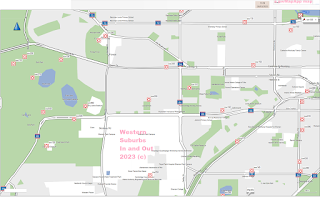
as at 24apr23 this is the Map for a WARA rogaine: a Surprising November Novelty event a Surprise event The event will use pwMapApp for finding, claiming and recording finds Still subject to change but... The event will start at the SW of Lake Monger, near the Men's Shed The map will cover this area Proposed controls are all based on labels found on Google Maps (**). Other similar controls may be added during setting. (**) So Google Maps could be used for navigation. Control finds will be confirmed by either GPS location, which will need to be refined by actual visits or by questions with a one-word answer, to be set during visits controls cannot be claimed until the location or question has been added A competitor will visit the control site then ... using the app pwMapApp explore pwMap "Western Suburbs In and Out" go to a control location select the control from a list claim by GPS location *or* by answering the question then select Finish from the * bottom * of the ...
When you have "test Run the app" ... you can visit Thornbill Way Churchlands ... and really know that you have discovered each treasure. Have you not yet finished your StreetView expedition? ... You can continue that Current Expedition Just make sure that you select the correct Map *and* the date that you started ... or start a New Expedition: select the map Street View of a Way walk to each Treasure ... In the list of Treasures (on the Claim one treasure screen) you can see the house number followed by what to look for. Find what to look for stand close by ... be careful of traffic! [Use GPS] to claim your treasure If you are within a few metres, the Treasure is yours :-) The final Treasure is always Finish. Select Finish (at the end of the list) ... and your Expedition is complete Did you score 76 ... and gain 6 Loons? Okay... so "what is a Loon?" Dr Nick Lethbridge / Consulting Dexitroboper ... Agamedes Consulting / Problems ? Solved === "Yesterday I...
Comments
Post a Comment